
Is your game not launching, crashing or breaking? There can be many things wrong. Luckily verifying the game files in your game properties will make sure the game is in a good state. This works for any game out there on steam.
In this short article I will show you how to verify the integrity of the game files.
How to open game properties in steam:
Let’s say you have the DayZ “Data Verification Error” and you want to fix it. You can do so by verifying the game files in Steam. It’s very easy:
1: Open Steam and click LIBRARY at the top.
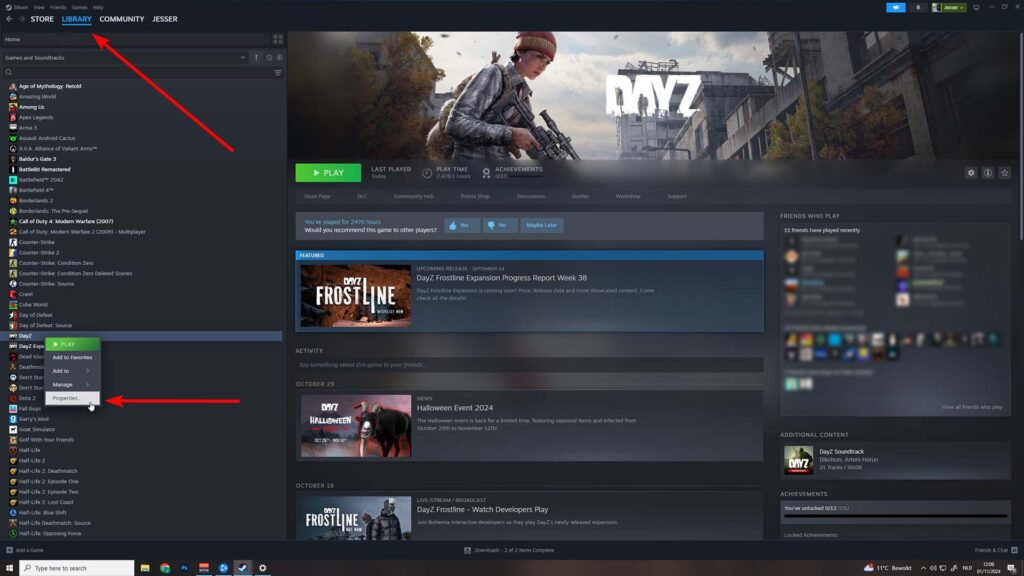
2: Locate your game (in this case DayZ) and right click, then go to properties.
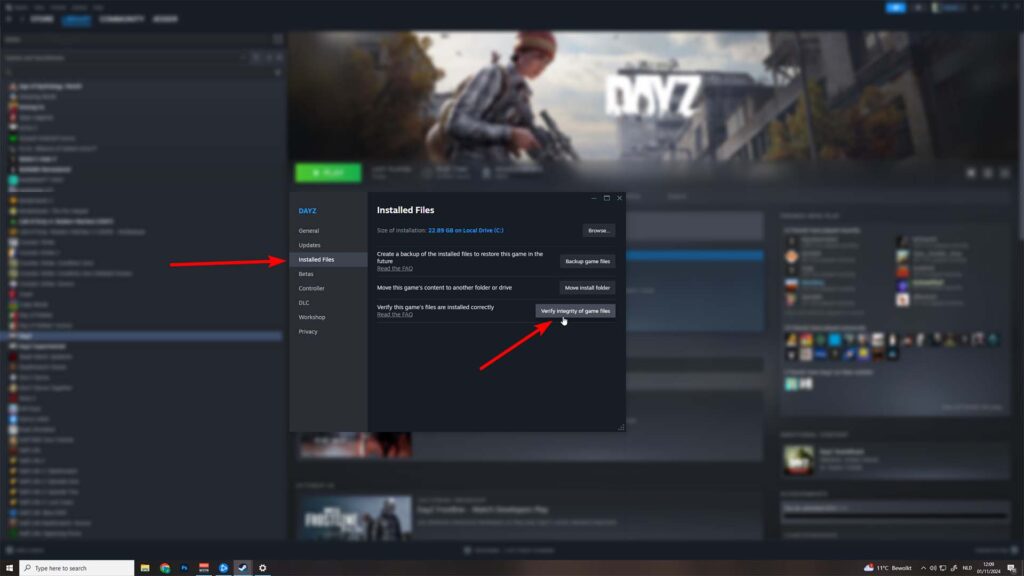
Verify the intergrity of game files
3: Open the Installed Files tab and click the “Verify Integrity of game files” button.
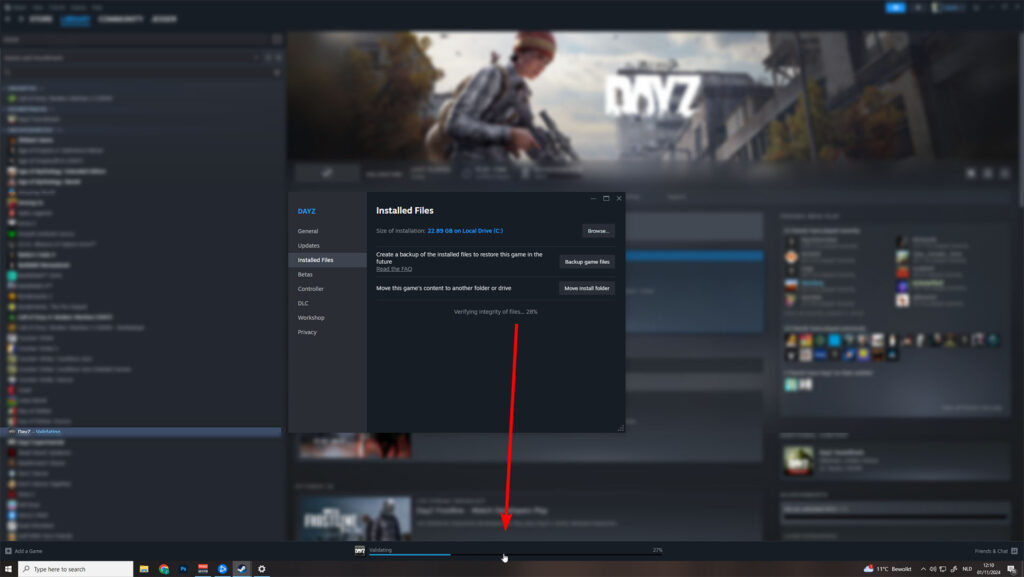
4: It will slowly progress through the files, give it a moment. (verifying can take up to a minute or more depending on how fast your PC is).
5: You can check the status in the downloads tab by hitting the validating percentage bar.
6: After this is finished, restart your game (or PC to be super sure) and check if your game launches!
Conclusion
That is really all there is to it. This fix is my go-to fix if my game is not working. This fix also works on any other game. The nice thing is that it scans and then repairs the files for you. The process can take a bit longer depending on the game size and or your internet speed.
I hope this has helped! If you need any help or want to bring something up, leave a comment down below! 🙂
2 Responses
Hello, good morning. I’m having the following error when trying to access the Karmakrew server. I would appreciate some help because I’ve tried everything and can’t solve it. My PC is new, I’m new to the game, and I would really like to play on your server, but I can’t because of this error.
there was problem loading mods from steam
Hello Rafael, You can submit a ticket on Discord and our admins will be happy to take a look. https://discord.gg/karmakrew